Info
This section talks about the various systems or interactions that are part of the avatar, and includes information about how they function.
Corrective bones/MCH
This avatar features multiple corrective bones that automatically help with the deformation of the mesh. Here’s a list of the ones used for this avatar, they should all be marked with an “MCH_” prefix, for “Mechanism”.
- Upper Arm Twist - Prevents Shoulder from collapsing in more extreme rotations
- Lower Arm Twist - Spreads the rotation across the forearm and elbow rather than only at the elbow
- Thigh Twist - Helps with leg rotation and alleviates weight painting issues near crotch.
- Knees - Helps keep the knee from shrinking when bending
- Elbows - Helps keep the elbow from shrinking when bending.
- Butt - Helps to give a better shape when lifting the leg.
- Hip Lift - lifts the hips to allow a better silhouette when lifting the leg sideways
- Spine - used to rotate the belly physbone up and down with the spine
- Belly - used as a proxy for the belly bone’s physbone
- Crotch Helper - Tries to give a better shape to the crotch when lifting legs
Other:
- MotionBoob - a physbone system that uses the squish function and multiple axes in order to move an empty in 3D space rather than rotate.
- Pole vector - Used by hip target to determine the orientation of the aim constraint.
- Hip Target - used by the hip helper’s aim constraint as the target
- Global Collider - self explanatory, used for head
- ColliderPoleVector - Used by the upper arm collider’s to determine the orientation of the aim constraint
Constraints are also used to change the Boob Jiggle amount
Corrective blendshapes
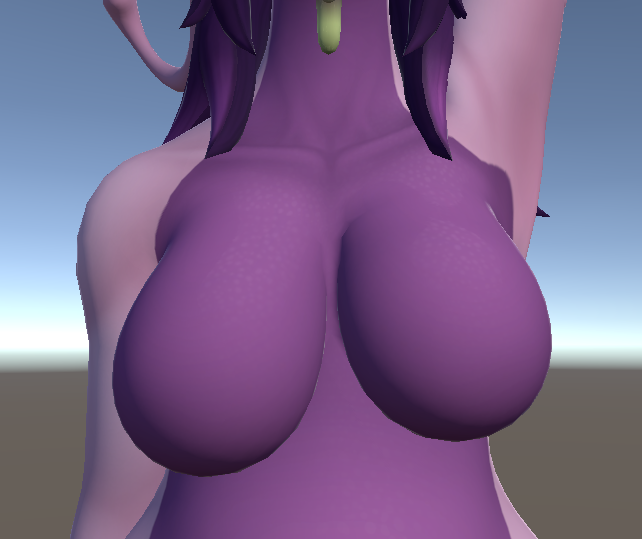
In addition to corrective bones, a few corrective blendshapes are used to make things look better under certain conditions.
- Shoulder corrective blendshapes activate for the body when at least one arm is lifted above the head.
-

Knee corrective blendshapes activate when your leg is bent to simulate your calves and thighs squishing.
-
Physbones moving towards the center of the chest will activate multiple blendshapes to simulate a boob squish. Another set of blendshapes will also correct the shape as boobs reach a certain size.

- A significant number of blendshapes are used to prevent clipping on breasts when clothes or body blendshapes are active, including when squish is combined with those blendshapes.
- Squish and stretch - blendshapes are activated when physbones are squished or stretched on the boobs and belly
- When boob bones are scaled up or down, a blendshape is activated to improve the look of the mesh.
Other interactions

- Pressing your chest against another Dragoonoid’s should squish you and your target’s breasts. This effect still activates from the side, but for the sake of not having too many senders and receivers, it is currently left as-is.
Avatar specifics (for modifications to the model)
In this section, I’ll go into more depth here over things like the FX layer, corrective blendshapes. And other specific things related to my workflow that might make it harder to add things to the model if you’re not used to it.
The Chub blendshape and chest size
Now that Blender exports blendshape normals, an issue presents itself: face corner normals are not supported by the FBX format.
Overlapping multiple intricate blendshapes can create artifacts caused by missing face corner data. Many such issues were present on this model. Merging the chub blendshape into each alternate size of the breasts helped mitigate this issue, at the cost of a slightly unusual setup. As such, we have a set of boob blendshapes for the non-chub version of the body and a chub version of each boob size.
FX Layer
Breasts Layer
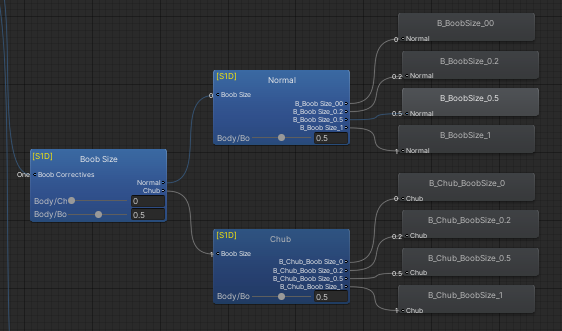
As mentioned previously, the boobs and chub blendshapes are combined into separate versions rather than added together. In other words, we have one set of boob blendshapes with the chub blendshape active, and one without. The blendtree reflects this. The chub slider gradually switches between the normal version of the blendtree and the chub version of the blendtree
To recap:
- When Boobsize is at 0.0: The Pecs blendshape is active
- When Boobsize is at 0.2: Boobsmall is active
- When Boobsize is at 0.5: The (generous) default size is active
-
When Boobsize is at 1.0: Boob Big is active.
-
When Boobsize is at 0.0 and Chub is at 1.0: The Chub body blendshape and the pecs are active
- When Boobsize is at 0.2 and Chub is at 1.0: The Chub body blendshape and the boobsmall blendshape is active
- When Boobsize is at 0.5 and Chub is at 1.0: The Chub body blendshape and the default boob blendshape is active
- When Boobsize is at 1.0 and Chub is at 1.0: The Chub body blendshape and the boobbig blendshape is active
Blendtree Layer contents
Let’s go over what we can in regards to these Blendtrees
Body: Contains toggles like belly button, wetness, and other non-clothing, non-boob related corrective blendshapes
Clothing: Contains toggles for clothing and clothing related corrective blendshapes related to chub and boob size
Boobs: contains the jiggle slider, the system for detecting a change in boob properties (size and jiggle), Stretch blendshapes, Constraint influence, the system for squishing both of your boobs together (boobin), the tank-top specific fixes for BoobIn, Boob Size and the chub blendshapes, and a fix to more accurately match the position of the physbone when clothing is active.
BoobTouch: Contains everything related to the boob squish system and the boob collide system (when pressing against someone else’s boobs). This caused a significant amount of clipping issues, and as such needed its own layer for all possible situations where clipping could occur.
BoobReset: Turns the Physbones for the boobs on or off to update the values. The system mentioned earlier smooths the boobsize value, and a comparator detects the difference between the smoothed value and the raw value. If that value is above a certain threshold, the physbones are turned off and back on.
Top Logic: turns other clothing on or off if it occupates the “Top” slot, and changes a parameter to tell the boobs to reset.
Bottom Logic: Turns other clothing off if it occupates the “Bottom” slot of clothing.
Physbone values: handles the physbone values, switching between 2 blendtrees; one for when the boobs are free and when they’re clothed.
ButtSlap_L/R: handles the animation for the butt slap animation.
SFX_Other: Butt slap SFX.
To elaborate on the boob squishing system:
“BoobTouch” refers to the chest being compressed. It is driven by the squish value of the physbone.
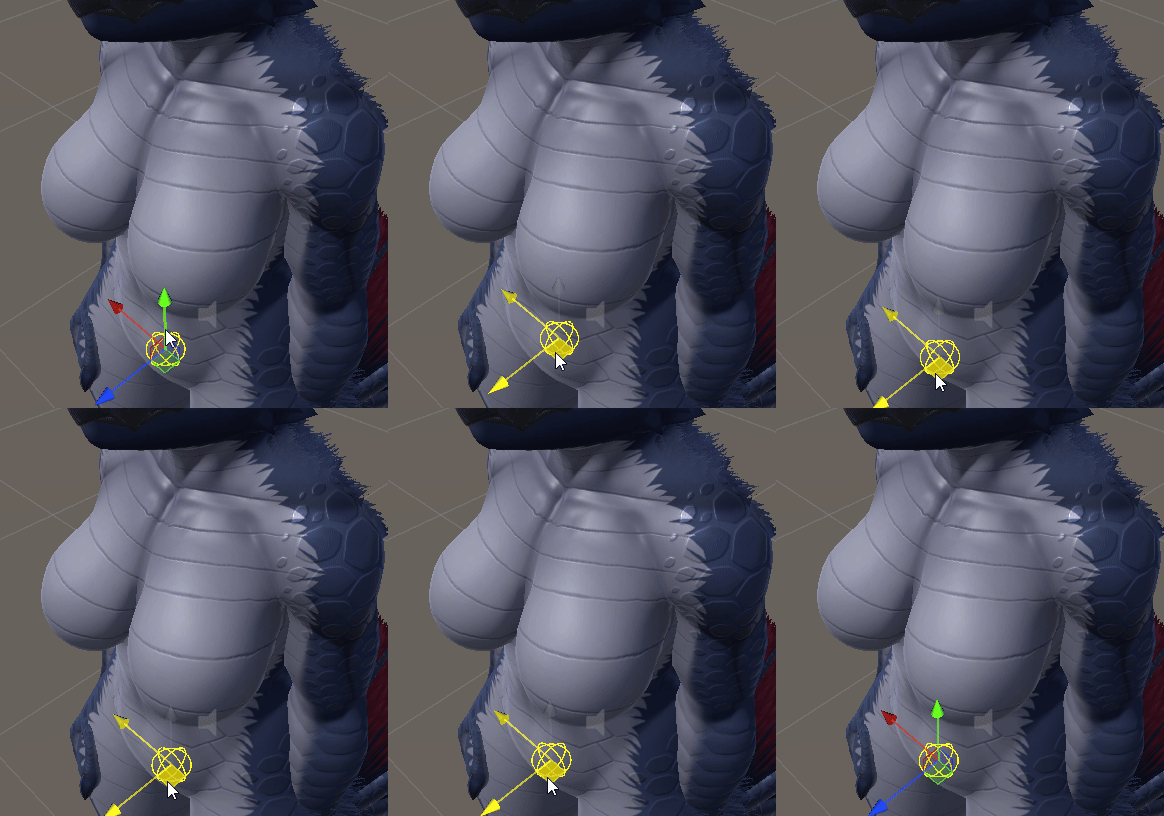
“BoobIn” refers to a boob physbone moving towards the center of the chest. This also requires a receiver for each side, and is driven by a sender on the breast bone.
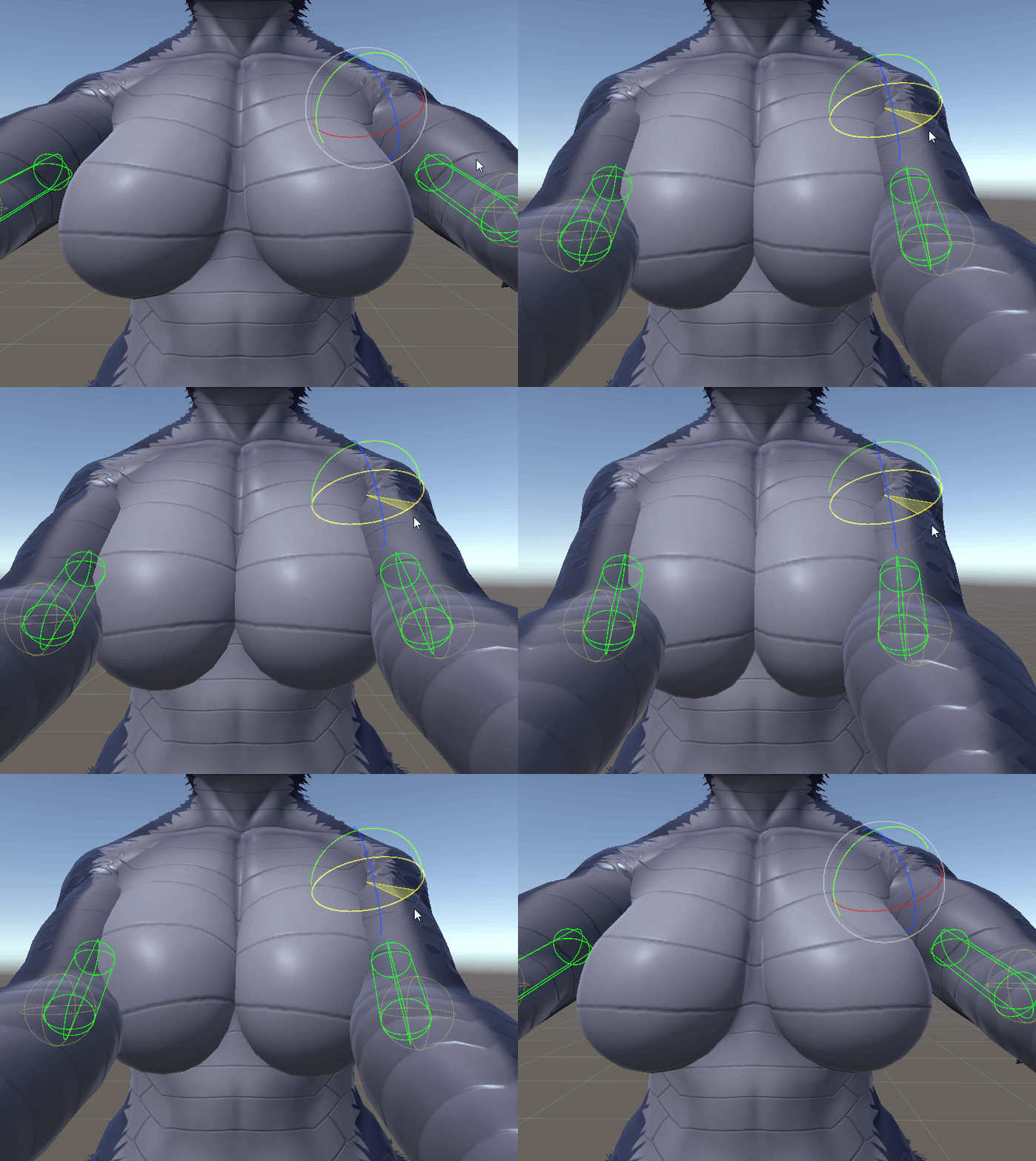
BoobTouch is mostly for fun. “BoobIn” is also fun, but extremely useful for tank tops/clothing and preventing them from clipping. Here’s how it works:
When the left boob reaches the center, the left “In” blendshape activates based on the proximity to the center. When the right boob reaches the center, the Right “In” blendshape activates based on the proximity to the center.
When both left and right activate, a third blendshape activates to correct any issues that occur from both being active at the same time.
Due to the B_Boob_Big blendshape changing the shape of the boobs drastically, I made another section (Squish (Big)) that corrects the shape of the boobs when these previously mentioned squish blendshapes are active, but these only incrementally turn on when the boobsize goes above 0.5.
I realize this seems like an incredible amount of work just for a dumb gimmick (and it is), and might complicate things greatly for anyone trying to make assets for this model, it might take much more time for anyone not experienced, but I believe these blendshapes can be transferred to whatever clothing you’re making using “Rinvo’s Blendshape Transfer”, although keep in mind the mesh needs to be manifold for the addon to work, and that the mesh used cannot have drivers on any blendshape.