🥡 Unity Import Process
Note
This section assumes you've already made the Unity project and imported the 📦 Prerequisite Packages. If you're new to using Unity for uploading avatars, follow the 🟥 Unity And VCC Setup.
I haven't quite touched this model in a long time, and I didn't entirely know what I was doing when I made it. Some things might have broken since then.
As usual, look for the scene file and open it. You should then see this:
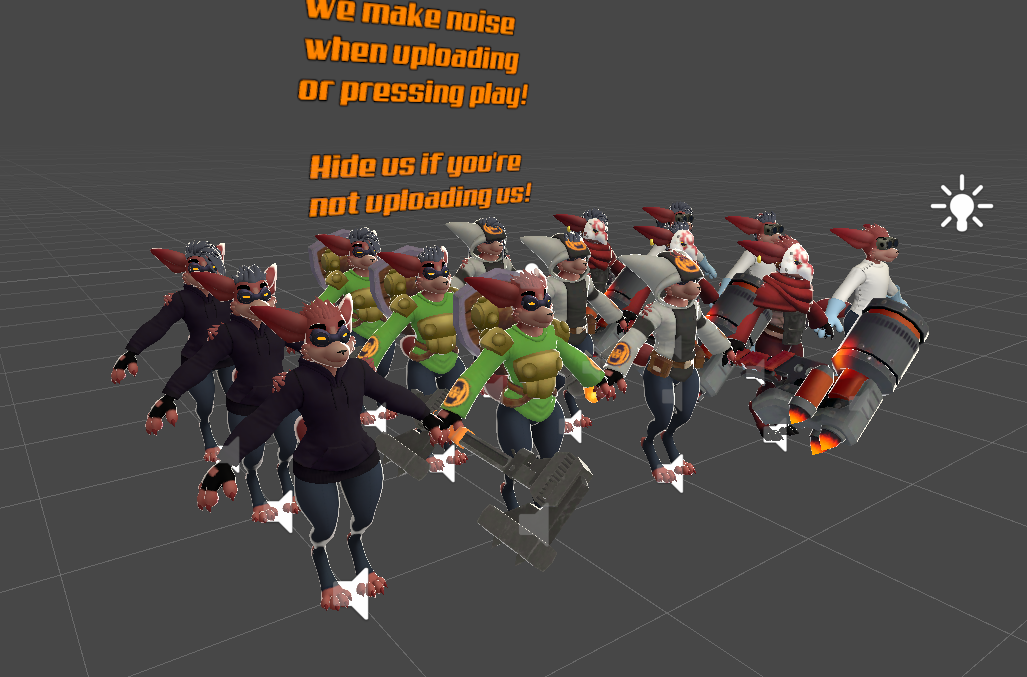
The Unity Project uses variants of the main prefab. Because of this, the FBX contains everything by default, but each variant removes things from that prefab in order to remain optimized, which is why you're seeing so many different versions.
There isn't really anything special needed to overwrite the main FBX, as long as you're aware that objects not included in the fbx will break prefabs that need those objects.
As for textures, you should only need to replace the matching textures in Poiyomi with your own. You can try to overwrite the textures themselves in your file explorer, but keep in mind the names need to match.