🥡 Unity Import Process
Note
This section assumes you've already made the Unity project and imported the 📦 Prerequisite Packages. If you're new to using Unity for uploading avatars, follow the 🟥 Unity And VCC Setup.
If you've made a custom texture, then aside from replacing every texture, you'll want to slot the emission mask in both of these
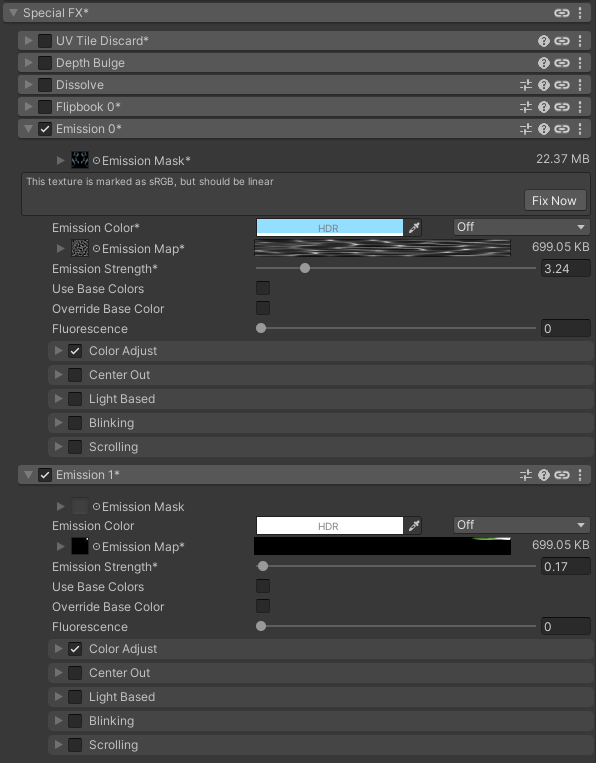
And change the mask color to green on the second emission section (Emission 1)
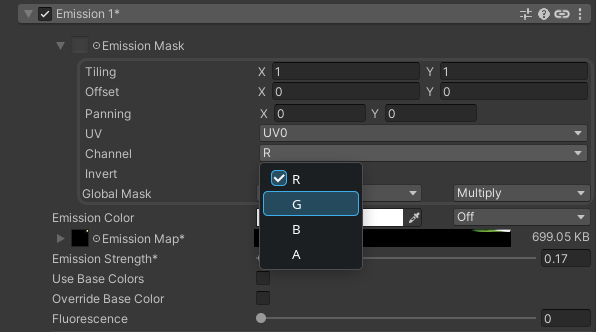
You can then get rid of the emission map and use base colors using the checkmark.
Warning
Do not remove the emission map on Emission 0 if you still want the scrolling water effect.